
LidAwake.
Keep your Mac awake with the lid closed. Your builds, downloads, and agent sessions survive. Brightness comes back exactly where you left it.
curl -fsSL https://raw.githubusercontent.com/deezeddd/LidAwake-Mac/main/install.sh | bash
Keep your Mac awake with the lid closed. Your builds, downloads, and agent sessions survive. Brightness comes back exactly where you left it.
curl -fsSL https://raw.githubusercontent.com/deezeddd/LidAwake-Mac/main/install.sh | bash
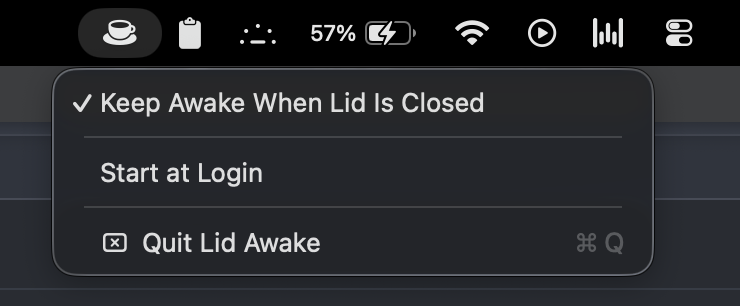
A coffee cup in the menu bar. Click to keep the Mac running lid-closed, click to go back to normal sleep.
Saves your screen brightness when the lid closes and restores the exact level when you reopen.
About 200 lines of native Swift. No Electron, no daemons, a few MB of RAM, no network access.
The whole app is one readable source file, MIT licensed. The installer builds it on your own machine.
One menu item, using Apple's own login items API. Set it once and forget the app exists.
Every lid and brightness event is logged locally, so you can always see exactly what it did.
pmset disablesleep power flag through a sudoers rule scoped to exactly two commands. No kernel extensions, no hacks.AppleClamshellState on IOPMrootDomain instead.